

Wishlist Member 3.0 has revived a flagging membership plugin and brought it back into the major leagues again, allowing it to once again compete on a similar level to options like MemberPress and MemberMouse. A great choice if you need varied payment and email integrations in particular, and it’s new content control options provide a refreshing level of flexibility.
Wishlist Member is one of the oldest WordPress membership plugins out there, and as such has earned its place as a heavyweight in the membership world.
However as the membership industry really took off, it found itself at risk of being left behind until it was overhauled back in 2019 – with a raft of updated and enhancements that kept it as a contender in the membership plugin space.
Since then, however, it has largely been treading water, with new features and developments few and far between. Is that testament to Wishlist Member hitting peak functionality for a membership plugin? Or a sign of it once again coasting and falling behind the competition? Let's find out…
The Full Review:
Features
Wishlist Member offers unlimited membership levels and unlimited members and you can create free, trial or paid memberships easily. It also supports ‘Pay Per Post’ style products. Importantly, members can be part of multiple membership levels at once, something that’s not easily done with all membership plugins.
You can also easily select the kinds of content that is protected (including pages, posts, custom post types and categories) and you can also use partial content protection if only part of a page needs to be hidden. With Wishlist you can also create a secure RSS feed too which is great if you want members to be able to access your content via an RSS reader.
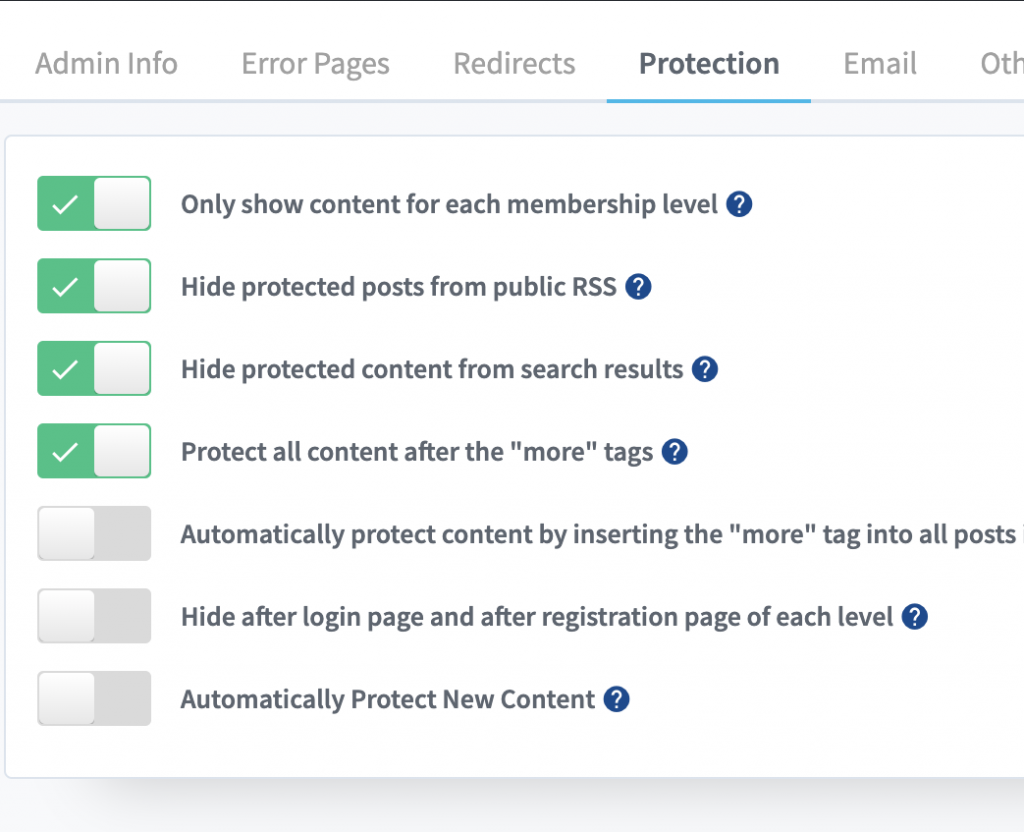
‘Sneak peek’ content is another feature than you can enable so any content that appears before the ‘more’ tag on a page/post is available to non-members and they have to sign-up to see the rest of the post. This can be used as a nifty traffic generation tool or when combine free and paid content.
One of Wishlist’s more unique features is their ‘Sequential Upgrade’ system which allows you to automatically move (or add) members to different membership levels after specific amounts of time. This can be great, but it’s also typically used for “drip feeding” content which isn’t ideal. It does allow you to drip content via either a specific start date or a specific amount of time though.
This was always previously one of my least liked features of Wishlist – if you had a lot of content to drip it quickly became cumbersome and led to a huge amount of membership levels – however while version 3.0 of Wishlist still retains this feature it also introduced a ‘Content Control‘ option which provides far more flexibility and perhaps makes Wishlist one of the most versatile options for different content release options.
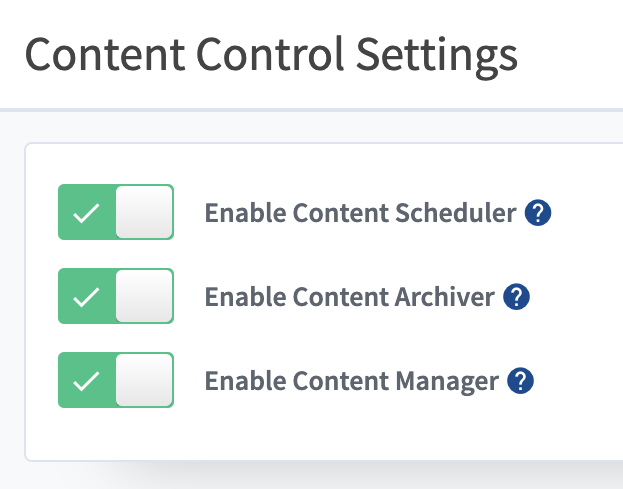
With this feature you now have a streamlined ‘Content Scheduler' option which allows you to much more easily drip content and an ‘Content Archiver' option that allows you to remove access to content at a certain date for anyone who isn't yet a member (great for magazine style memberships).
It also includes an interesting ‘Content Manager' which allows you options like re-posting content on a specific date or time frame (for example if you had an accountability post you wanted to show every month), or even moving it to another category or deleting it altogether. I don't think I've seen another membership plugin with these kind of options.
With some payment processors, such as Stripe, you can pro-rate upgrades and choose what happens on cancellation (member immediately loses access or retains access until the end of their billing period). Payment features do vary widely by which payment processor/shopping cart you choose to integrate with though and Wishlist integrates with payment options slightly differently to most plugins.
Wishlist have also developed their own LMS add-on called CourseCure – while fairly basic compared to other standalone solutions it's a welcome addition, and the tight integration with the membership functionality, plus the option for enhancement with their Gamification add-on makes it a strong inclusion. For those needing a more powerful solution, Wishlist integrates with more popular WordPress LMS plugins than most other membership tools.
Unlike many membership plugins you can set Wishlist Member up so that members require your manual approval before being given access to the site (useful if offering a free membership) or you can also set things so that members must confirm their email address before their registration is processed.
All in all Wishlist Member packs a solid punch in terms of the features it offers, many of which are unique within the membership plugin space.
Ease of Use
When you first install Wishlist Member there is a nice set up wizard that helps you get started, allowing you to quickly and easily set up your first membership levels and basic settings. It’s pretty simple and should get you started easily.
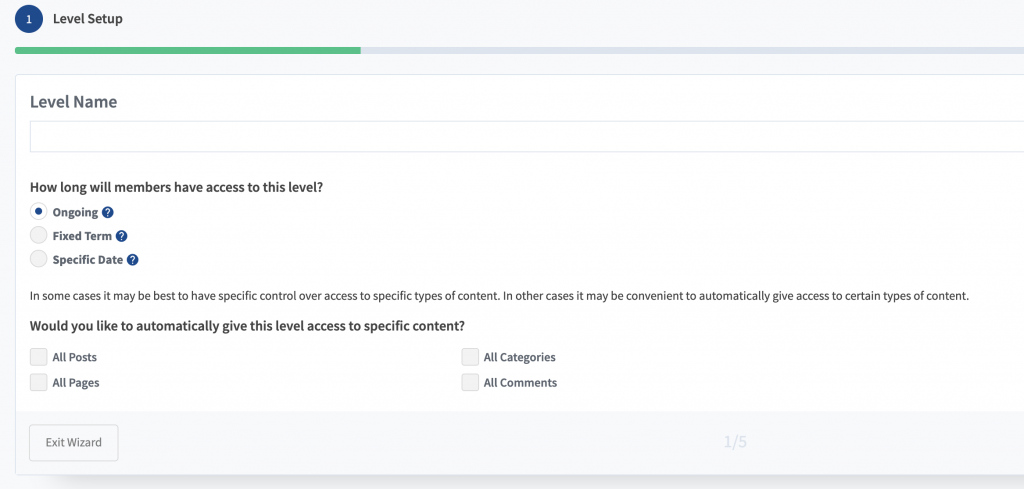
One of Wishlist's strengths – its flexibility – was previously also a weakness as it came with a huge amount of different tabs and settings to configure, which could be overwhelming. The new streamlined interface makes set up much less daunting however, and it's quick and easy to pick and choose the settings that you need. Most settings are also self-explanatory, or come with an explanation, and many require a simple enable/disable choice.
Setting up your basic membership levels is easily done via both the initial wizard and the ‘Setup' tab, although there are more advanced options that you can make use of too if you want/need to. For each membership level you can choose different pages to redirect people to after registration and after they log in, which makes life easy if you’re offering multiple products and want a different member dashboard for each.
The newer more refined registration options are also refreshing, with an ‘enable simple registration url' option which gives you a quick clean registration page for each membership level. However you can still customise the registration forms and registration options too.
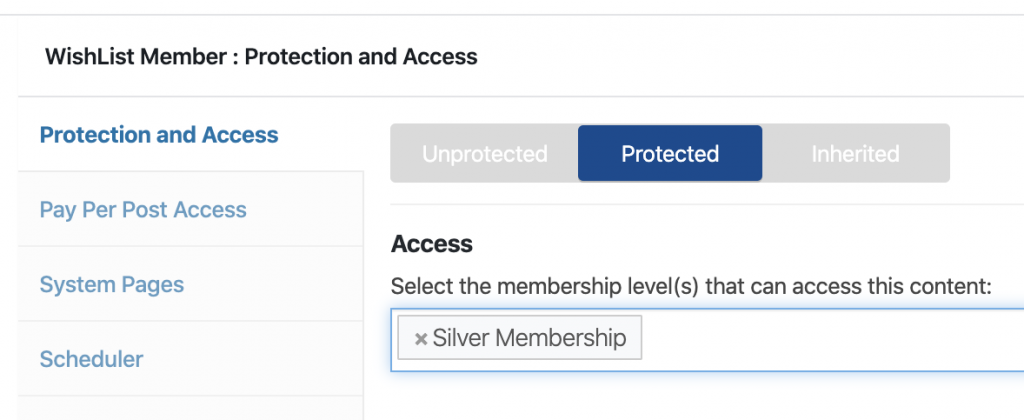
Content protection is also easy with Wishlist Member – you can either use the ‘Content Protection' tab in the Wishlist menu to set up your protection for different content types (including custom post types), or you also have Wishlist protection options on every page, making it easy to protect pages as you create them. You can protect pages, posts, categories, certain custom post types and also set up protected folders and files. There can be issues with dynamic content though, such as forum options like bbPress and BuddyPress.
As previously mentioned, Wishlist Member integrates with payment processors slightly differently to other membership plugins. For example if you integrate with PayPal, you would need to go to Integrations > Payments > PayPal > Products and create a new product for each membership level and price point. You then need to copy the payment link/button and or use a shortcode to add it to your payment page.
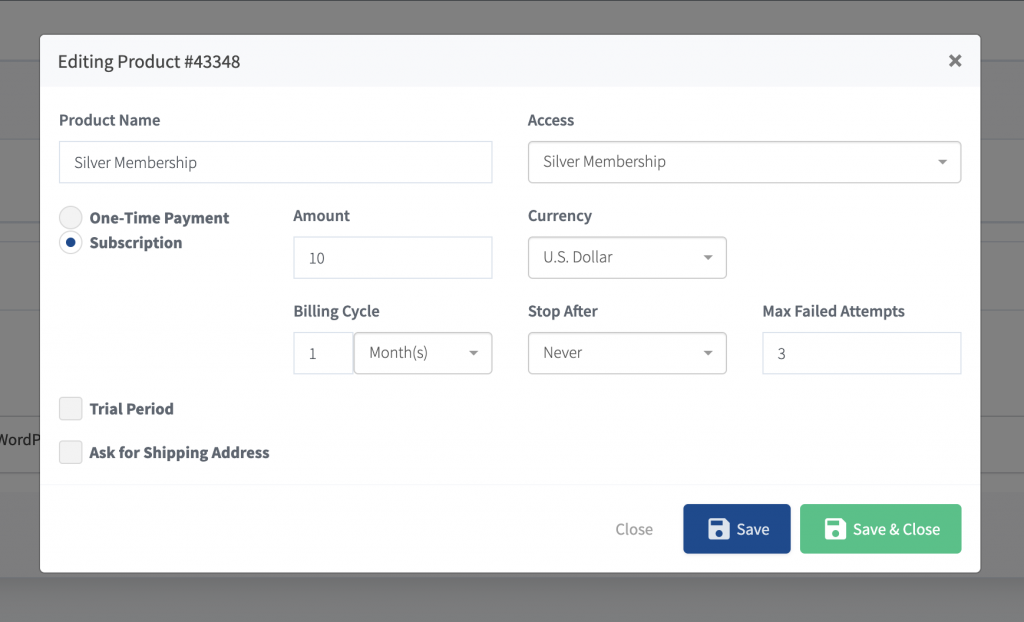
Not a deal breaker, but a little convoluted compared to other options where membership levels, payments and registration are integrated together, and I'm not a huge fan of the Wishlist approach to this personally. However if you're using a shopping cart like ThriveCart, you may prefer this approach.
Different payment processors and shopping carts require different setups, so ease of use will vary for each. The options you have available for payments, including the ability for things like trials and coupons, will depend on your payment processor as Wishlist does not control this. If you need to account for taxes, this is also something that would be done via your payment integration only.
Whilst content dripping was something that was unwieldy in the previous versions of Wishlist Member using their Sequential Upgrade option (which is still a feature, but better served to other purposes), the new Content Control options make this a breeze.
Integrations
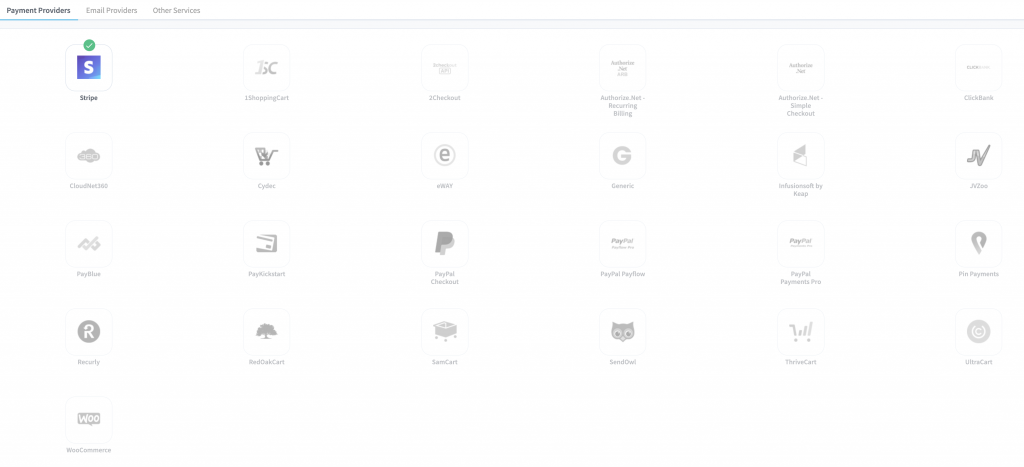
If there is one area where Wishlist Member has always excelled compared to many membership plugins it is integrations. You’d be hard pushed to find a membership plugin that works with more payment processors or shopping carts than Wishlist, including options like SamCart, Infusionsoft and 1Shopping Cart, as well as the standard PayPal and Stripe.
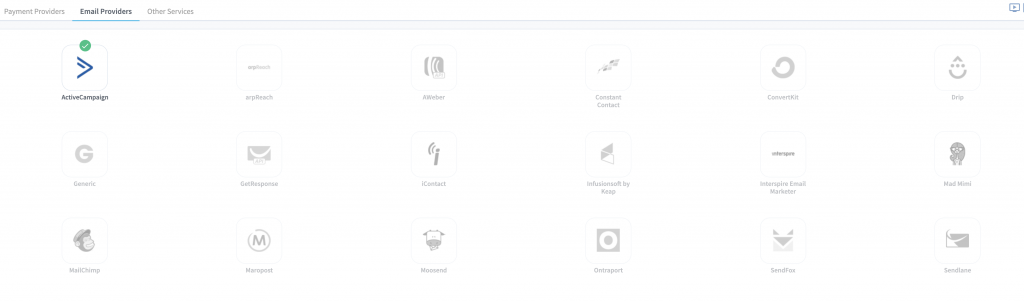
The same goes for email marketing services, with integrations ranging from ActiveCampaign to Ontraport and including several lesser known options.
You can also integrate with services such as ResponseSuite, eLearnCommerce, LearnDash, GotoWebinar, Evidence and more. Plus Zapier for access to even more functionality.
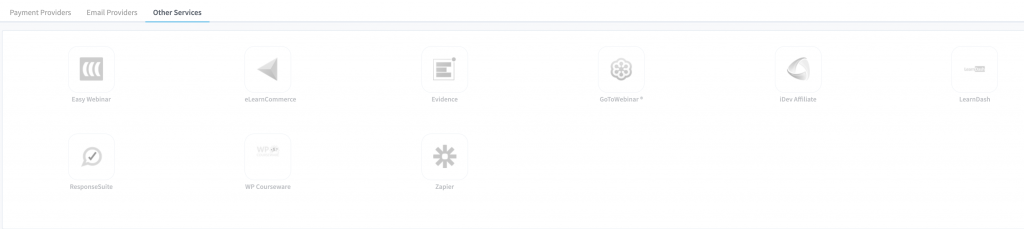
All integrations can be accessed and enabled easily from the Wishlist > Setup > Integrations screen, with instructions available for each once enabled.
The broad range of integrations is easily one of the strongest attributes of Wishlist Member, with more support for key third party services and tools than any other plugin on the market.
Cost
Wishlist Member offers four different packages – Basic, Plus, Pro and Elite. All tiers provide the core features, the main differences are the LMS features, add-ons and integrations available and the number of sites the plugin can be licensed on. The Elite plan is differentiated solely on its support for Keap and Recurly.
At the time of this review (December 2025), pricing was as follows:
- Launch: $299 per year
- Growth: $499 per year
- Scale: $699 per year
- Elite: $899 per year
However as is common for plugins within the Caseproof family of software (Caseproof are the developers of MemberPress who have been acquiring multiple other plugins in recent years) – there is a seemingly permanent ‘special offer' of 50% off the first year.
This makes Wishlist Member one of the cheapest membership plugins to get started with, and puts it just slightly above mid-range pricing on renewal.
User Experience
The general registration process in Wishlist is easy enough – a member pays and is then redirected to a registration form to sign up for their on-site account – creating their own username and password in the process. Provided your payment processor is integrated correctly this should all happen quite smoothly for the member and they can then login straight away. You can customize the registration form as needed and the new member will be sent an email via Wishlist with a reminder of their login details.
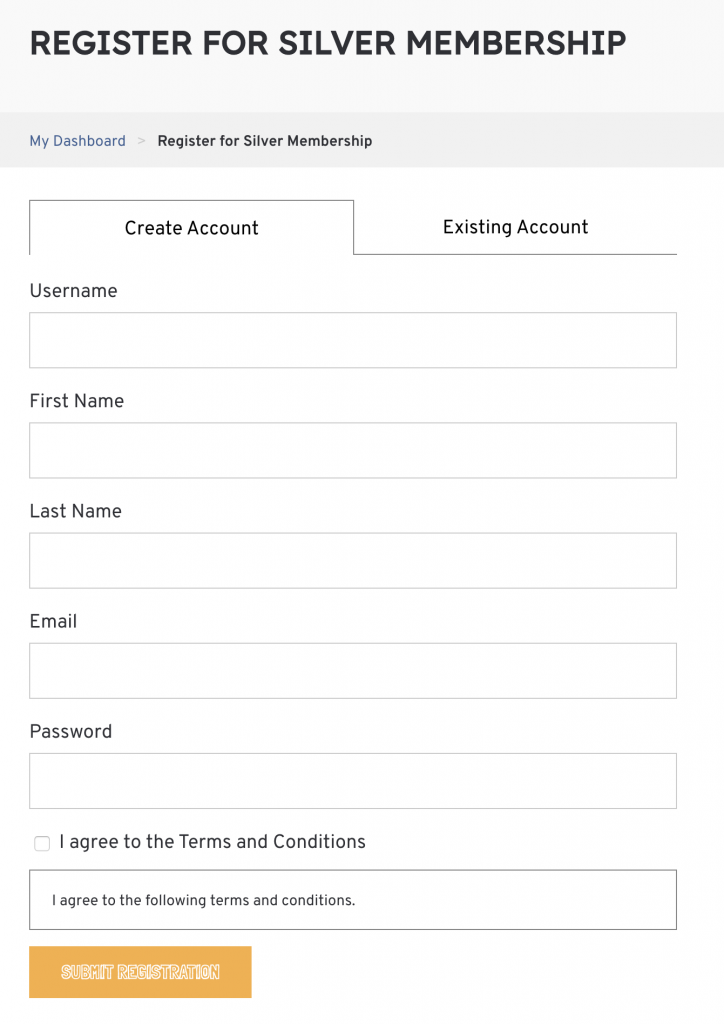
And that’s it really from the users perspective. The membership protection and sequential upgrade should work behind the scenes, so the member won’t really see anything else of Wishlist. The plugin does provide a widget that you can use to display the members details such as name and membership level, and you can use Mergecodes to create a profile form page where someone can update their details.
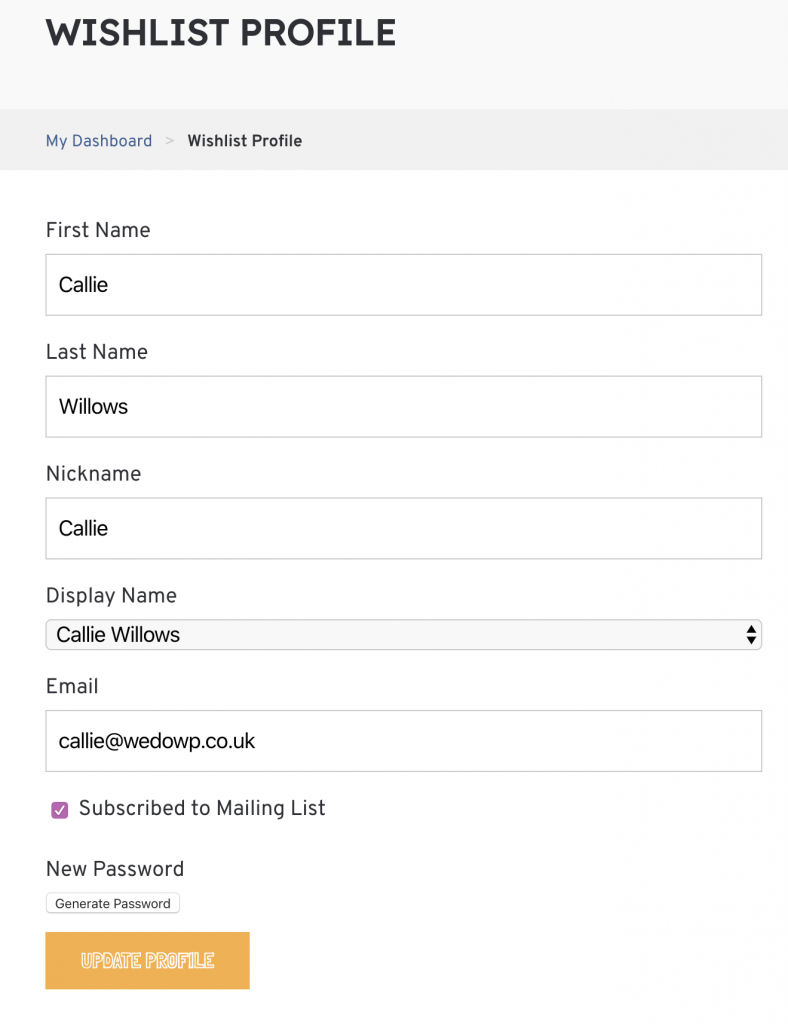
It doesn’t create an account page or any way for a member to manage their own account in order to access things like their billing details or cancel their account, and is somewhat detached from the payment process in general. Payments must in fact be cancelled in the payment processor by either yourself or the member. This lack of ‘self service’ for members could become a bit of a customer service bottle neck, especially if you have a lot of members.
Member Management
Wishlist Member includes a membership dashboard which shows you basic stats on your membership, like the total number of active, expired and cancelled members, as well as the specific breakdown for each membership level. It doesn’t provide any financial reporting so you’ll need to rely on your shopping cart for this, or an external service like ProfitWell. Similarly you’ll need to work out things like churn rate and lifetime value manually too.
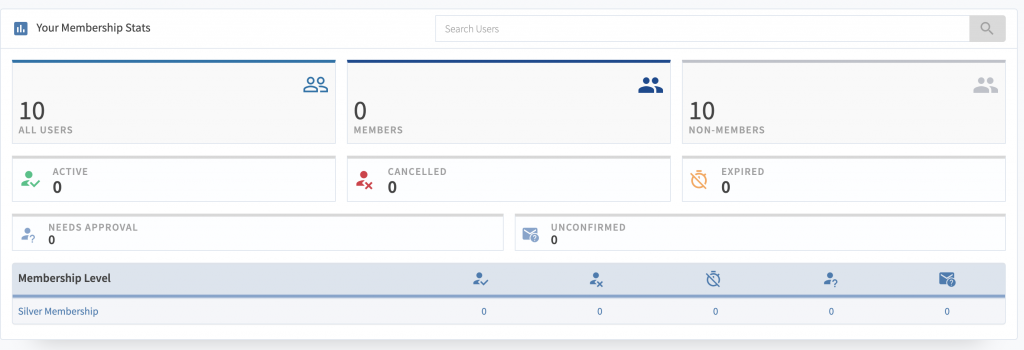
Seeing as reporting is a massively under-provided feature of most membership plugins sadly, I'd say that while this is disappointing, it's not uncommon.
What Wishlist does allow you to do with members is easily move them from one membership level to another, either via their sequential upgrade feature or manually. You can also import and export members easily if needed too.
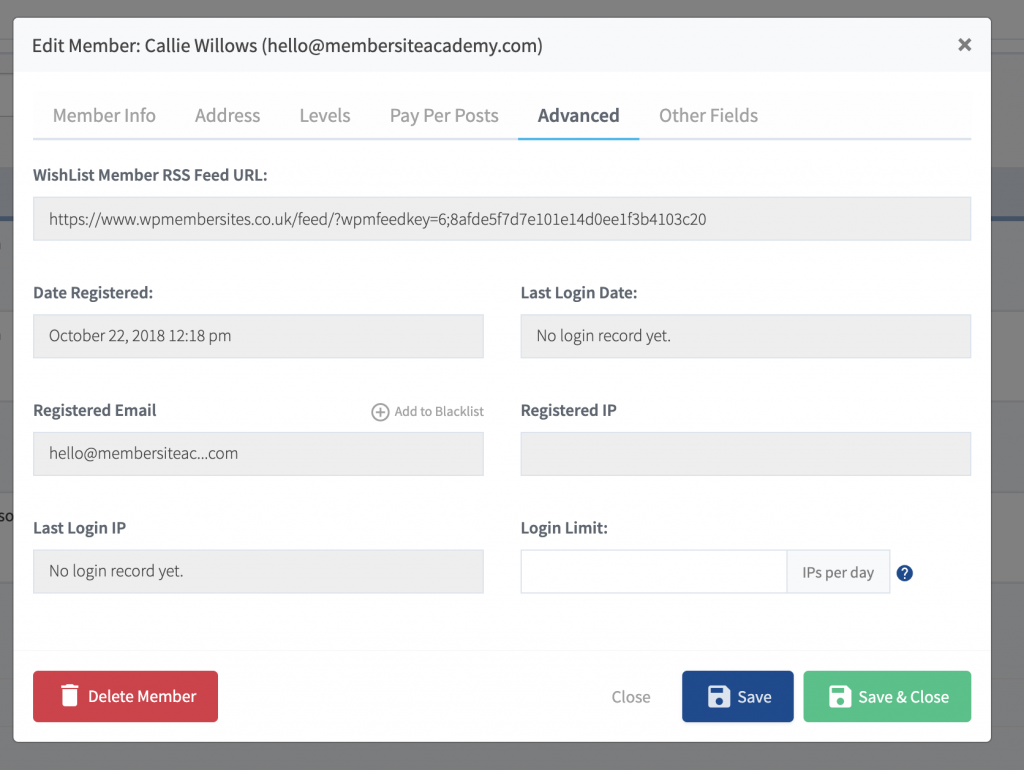
On the ‘Members’ tab in Wishlist you can add a new member, search existing members and see the membership levels and status attached to any member, including their registration date for each level.
You can also approve/un-approve, cancel/un-cancel, turn on/off sequential upgrade and add additional membership levels to members from the ‘Members’ tab.
With the latest version of Wishlist Member you can also see a handy breakdown of each members details and their memberships when clicking on them in the members list.
Conclusion
Wishlist Member has a long pedigree in the WordPress membership space with over 100,000 users choosing it for their membership, so it's a stable and dependable choice.
The main downsides for me are the inconsistent ways in which it integrates with payment processors and the lack of user management and reporting options. All of these things are still better than they used to be however, and some of this is personal preference too.
Where Wishlist Member definitely excels is in the number of third-party integrations possible, so if you're using a shopping cart rather than simple PayPal or Stripe, or a less common email provider, it's going to be one of the main options that you want to check out.
Its ‘Content Control' options are also particularly interesting, and combined with how easy it is to protect content make Wishlist a good choice if you have complex content protection needs.
Overall Wishlist Member is a solid option that's managing to keep hold of its place in the top tier of membership plugins thanks largely to its incomparable selection of third-party support and integrations.